

Table of Contents
- Why Busy Professionals Are Moving Beyond Paper Planners
- Key Features to Look for in Digital Planner Alternatives
- Best Digital Planner Apps for Professionals
- How to Transition from Paper to Digital Planning
- Time Blocking Templates for Professionals
- Overcoming Psychological Barriers to Digital Planning
- Hybrid Planning Strategies: Combining Digital and Paper Methods
- Data Privacy and Security in Digital Planning Tools
- Frequently Asked Questions
Last Updated: September 27, 2026
Why Busy Professionals Are Moving Beyond Paper Planners
Digital planner alternatives offer flexibility that pen and paper cannot match, helping busy professionals reclaim time and reduce the mental load of managing complex workflows.
Professionals who switch to digital planning report feeling more in control of their schedules. The ability to synchronize tasks across devices, set automated reminders, and integrate with calendars transforms how work gets done, digital solutions adapt to your day as it unfolds, unlike paper which requires manual transcription.
Professionals often hesitate to switch because they've built habits around paper systems, but once the transition happens, efficiency gains become clear: real-time updates, cloud-based backup, and instant access from any device eliminate scrambling for information.
Key Features to Look for in Digital Planner Alternatives
When evaluating digital planner alternatives, certain features separate tools that genuinely improve productivity from those that simply digitize paper.
Task prioritization and deadline tracking are essential. Look for systems that surface urgent items automatically and let you reorder priorities without friction.
Calendar integration is non-negotiable. Your planner should sync seamlessly with your email calendar, showing conflicts instantly and preventing double-booking.
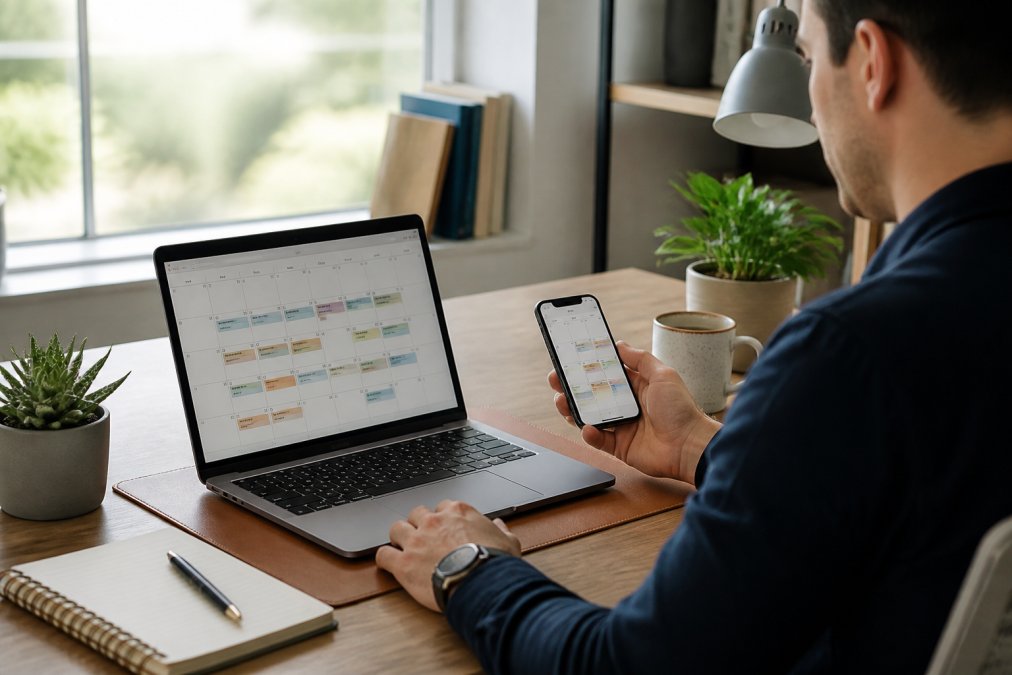
Mobile accessibility determines whether your system travels with you. Cross-platform support means your phone, tablet, and computer all show the same information, with changes rippling across devices instantly.
Notification settings and reminders should be customizable to prevent notification fatigue while ensuring critical deadlines don't slip.
Template customization allows you to shape the tool around your existing workflow rather than forcing you to adopt someone else's system. Professionals with established processes need flexibility, not rigid structures.
| Feature | Why It Matters | Red Flag If Missing |
|---|---|---|
| Real-time synchronization | Changes appear instantly across all devices | Requires manual syncing or has delays |
| Calendar integration | Prevents scheduling conflicts and double-booking | Must check multiple systems separately |
| Mobile accessibility | Access your plan from anywhere, anytime | Desktop-only or poor mobile experience |
| Customizable templates | Adapt the tool to your workflow | One-size-fits-all structure |
| Data backup and security | Your information stays safe and accessible | No encryption or backup options |
| Automation capabilities | Reduce repetitive manual entry | Everything requires manual input |
Best Digital Planner Apps for Professionals
The digital planner market offers solutions for different work styles and team sizes. Rather than recommending generic apps, this section focuses on tools that deliver measurable improvements in professional time management.
Cloud-Based Planning with Real-Time Synchronization
Cloud-based digital planner alternatives eliminate synchronization headaches. Every change propagates instantly across your devices, update a deadline on your phone and it's already updated on your desktop.
Multiple people can view and update the same project timeline without creating conflicting versions, ensuring no one works from outdated information.
Reputable cloud-based systems encrypt your data both in transit and at rest, and cloud backup ensures your planning system survives hardware failures and accidental deletion.
Setup typically takes minutes. You create an account, configure preferences, and your system is ready to use.
Mobile Accessibility and Cross-Platform Integration
Professionals work everywhere. True digital planner alternatives work seamlessly across phones, tablets, and computers.
Cross-platform integration means your Android phone, iPad, and Windows laptop all access the same system without maintaining separate versions. The interface adapts to different screen sizes.
Mobile apps should support offline functionality so you can view and update your plan offline, then sync when connection returns.
Push notifications should be customizable, urgent deadline alerts but daily summaries rather than constant pings.
How to Transition from Paper to Digital Planning
Moving from paper to digital planning requires more than downloading an app. The transition succeeds when you match your existing workflow to the new system rather than forcing yourself to adopt an unfamiliar structure.
Start by auditing your current paper system. What information does your planner contain? Understanding what you currently track prevents information loss during the transition.
Choose a tool that mirrors your current structure. If you use a weekly layout, select a digital system with strong weekly views. The goal is reducing friction, not forcing a complete workflow redesign.
Run a parallel system for two weeks. Keep your paper planner while entering information into the digital system. This overlap period lets you verify the new tool captures everything you need.
Establish a single entry point. Decide where new tasks and deadlines will be entered, your phone, desktop, or email integration. Using multiple entry points creates confusion and duplicate work. Pick one and commit to it.
Set up synchronization with your calendar immediately. This integration prevents scheduling conflicts and ensures your planner reflects your actual time commitments. Many professionals find this single integration generates more immediate value than any other feature.
Time Blocking Templates for Professionals
Time blocking divides your day into focused blocks dedicated to specific activities or project types. Rather than jumping between tasks, you work on one category for a defined period. This approach reduces context switching, improves focus, and creates predictable productivity patterns.
Effective time blocking templates vary by profession. The structure depends on what actually consumes your time.
The morning block (90-120 minutes) captures your highest-energy hours for demanding work, strategic thinking, or complex analysis.
The meeting block consolidates scheduled calls and meetings, preserving uninterrupted work time.
The administrative block (30-60 minutes) handles email, expense reports, and scheduling, preventing these tasks from fragmenting your day.
The buffer block provides flexibility for unexpected interruptions or work that runs longer than planned. A 30-minute buffer between blocks prevents one overrun from cascading through your entire day.
Digital planner alternatives make time blocking practical because they provide visual representations of your day and can enforce focus through notifications. Paper planners require constant manual checking. Digital systems can remind you when a block ends and the next begins.
Overcoming Psychological Barriers to Digital Planning
Resistance to digital planner alternatives is often psychological, paper feels tangible and handwriting creates a different cognitive connection than typing.
Professionals accustomed to paper report that the tactile experience matters, pen on paper makes tasks feel real in a way digital systems sometimes don't.
This barrier is surmountable. Effectiveness is measured by whether you complete your priorities and manage your time well, not by whether you enjoy the process.
Hybrid Planning Strategies: Combining Digital and Paper Methods
Some professionals discover that the best approach combines digital and paper systems. Rather than viewing them as competing alternatives, they use each for what it does best. This hybrid strategy captures the benefits of both while minimizing the drawbacks of either approach alone.
Data Privacy and Security in Digital Planning Tools
Your planning system contains sensitive information: business strategy, personal goals, financial details, and schedule information. Unlike paper, which stays in your physical possession, digital systems store your data on company servers. Understanding how your data is protected matters.
Frequently Asked Questions
What is the best digital planner alternative for busy professionals?
The best digital planner alternative depends on your workflow priorities. Cloud-based tools with real-time synchronization across devices work well for professionals managing multiple projects. Look for apps offering task prioritization, calendar integration, and automated scheduling. Many professionals benefit from combining a dedicated digital planner with workflow automation tools, this hybrid approach reduces manual data entry and keeps all your commitments visible in one place.
How do digital planner alternatives improve productivity compared to paper?
Digital planners offer several productivity advantages: real-time updates across devices mean changes sync instantly, automated reminders reduce missed deadlines, and integrated calendar and email features eliminate context switching. Time blocking becomes easier with digital tools that show your full schedule visually. Professionals using digital alternatives report better deadline tracking and more intentional time management, though success requires consistent use and proper setup.
How do I transition from paper to digital planning without feeling overwhelmed?
Start with a hybrid approach: keep your paper planner for a week while testing a digital tool alongside it. Choose one tool with a simple interface rather than trying multiple apps at once. Begin by importing only your current tasks and upcoming deadlines, not your entire archive. Set up basic templates for recurring planning activities (weekly reviews, project planning). Many professionals find that dedicating 15 minutes daily to their digital planner helps build the habit faster than trying to switch everything overnight.
What psychological barriers prevent professionals from switching to digital planning?
Common barriers include loss of the tactile experience of writing, fear of losing important information in the cloud, and concern about becoming too dependent on technology. Many professionals worry that digital tools will increase screen time rather than reduce stress. Addressing these involves choosing tools with offline capabilities, ensuring robust data backup and security, and recognizing that digital planning actually reduces cognitive load, you're not trying to remember everything, just managing what's written down.
Can I use time blocking templates with digital planner alternatives?
Yes, time blocking works exceptionally well with digital tools. Most digital planners allow you to create customizable templates for your typical week, blocking specific hours for focused work, meetings, and breaks. Digital time blocking offers advantages over paper: you can adjust blocks quickly without redrawing, set reminders before each block begins, and analyze how you actually spent your time to refine future blocks. Templates save setup time and ensure consistency in your daily agenda across weeks.